Fades Dialog
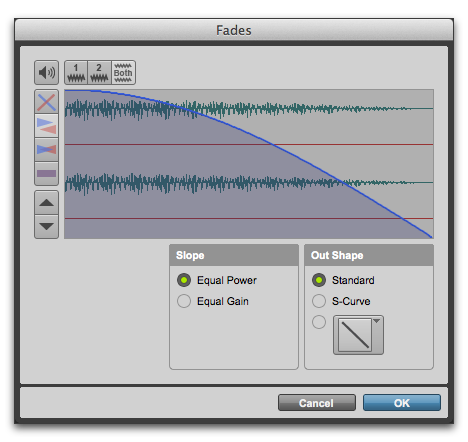
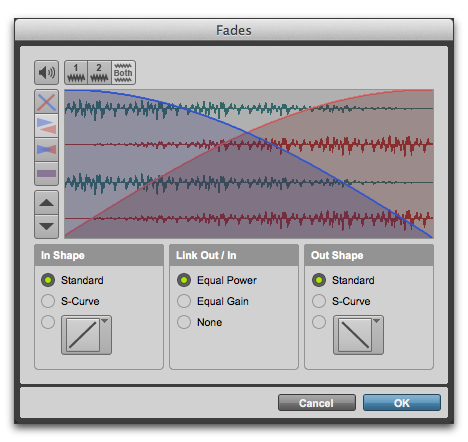
When choosing the Edit > Fades command you can use the Fades dialog to select, view, and preview fades and crossfades, and to edit the curves used to perform fades and crossfades. A fade-in shows the In Shape settings, but not the Out Shape settings, and likewise a fade-out shows the Out Shape settings, but not the In Shape settings.
Fades dialog, fade-out
Fades dialog, crossfade
The controls in the Fades dialog include:
• Audition
Click this button to audition fades. Pro Tools supports fade auditioning directly from your audio interface outputs.
• View First Track (Crossfades Only)
If you are cross-fading between more than one track, this button allows you to view and preview the audio of the first in a pair of adjacent tracks.
• View Second Track (Crossfades Only)
If you are cross-fading between more than one track this button allows you to view and preview the audio of the second in a pair of adjacent tracks.
• View Both Tracks (Crossfades Only)
Click this button to display the waveforms of the first two adjacent tracks in a multitrack crossfade.
• Fade Curves Only
Click this button to display the specified fade curves without showing the actual audio waveforms. This is the default view when you open the Fades dialog.
• Fade Curves and Separate Waveforms
Click this button to display the specified fade curves along with separate views of the fade-in and fade-out waveforms.
• Fade Curves and Superimposed Waveforms
Click this button to display the specified fade curves along with superimposed views of the fade-in and fade-out waveforms.
• Fade Curves and Summed Waveform
Click this button to display the specified fade curves along with a single waveform representing the summation of the any crossfaded audio.
• Zoom In
Click this button to scale the view of the waveform’s amplitude upwards. Command-click (Mac) or Control-click (Windows) for the default view scale.
• Zoom Out
Click this button to scale the view of the waveform’s amplitude downwards. Command-click (Mac) or Control-click (Windows) for the default view scale.