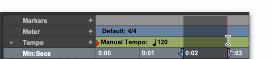
Timeline Selections
Any Edit selections that are made are mirrored in the Timeline, and any Timeline selection is mirrored as an Edit selection across all tracks. The range indicated by the Timeline Selection Markers always determines the range for playback and recording.
To make a Timeline selection with the Selector tool:
1. If you want to constrain the selection to the current Grid value, set the Edit mode to Grid
2. Drag with the Selector tool in any Timebase ruler.
Making a Timeline selection with the Selector tool
The Timeline selection is indicated in the Main Timebase ruler by the blue Timeline Selection Markers (or if a track is record-enabled, the Timeline Selection Markers are red). The start, end, and length for the Timeline selection is displayed in the corresponding fields in the Transport window.

To select all tracks, including all Conductor tracks, press Option (Mac) or Alt (Windows) while dragging in a Timebase ruler with the Selector tool.
To set the Timeline selection by dragging the Timeline Selection Markers:
1. If you want to constrain movement to the current Grid value, set the Edit mode to Grid.
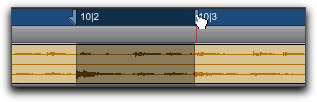
2. With the Time Grabber, drag the first Timeline Selection Marker (down arrow) to set the start point.
3. Drag the other Timeline Selection Marker (up arrow) to set the end point.
Dragging a Timeline Selection Marker