Using the Smart Tool
With the Smart Tool, you can instantly access the Selector, Grabber, and Trim tools, and you can also perform fades and crossfades. The position of the cursor in relation to a clip or note, or within automation data, determines how the Smart Tool functions.
Smart Tool enabled in the Edit window
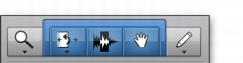
To select the Smart Tool, click its icon in the upper left of the Edit window, or press F6+F7 (or F7+F8) simultaneously.