Automation and Controller Views
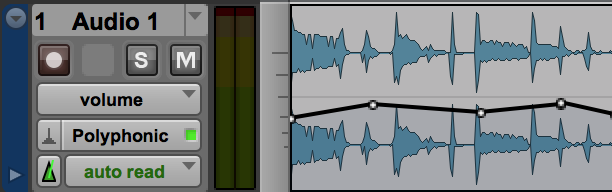
When an audio or Instrument track is displayed as Volume, Pan, or another automated control, or when a MIDI or Instrument track is set to one of the continuous controller types (such as Volume or Pitch Bend), the data for that track appears in the form of a line graph with a series of editable breakpoints. The breakpoints can be dragged to modify the automation data, and new breakpoints can be inserted with the Pencil tool or a Grabber tool. MIDI and Instrument tracks also provide Velocity view for editing MIDI velocities.
Track View set to Volume for audio track

You can also edit automation and controller data in lanes below the track view. For details on editing automation data for audio tracks, see
“Automation” on page 789.