Continuous Controller Events
Continuous controller events for MIDI and Instrument tracks are displayed in the form of a line graph with a series of editable breakpoints. Controller events for MIDI and Instrument tracks differ from automation data for audio tracks in that the breakpoints are stepped (instead of vector-based), where each breakpoint represents a single controller event.
To show MIDI Controller data for a track, do one of the following:

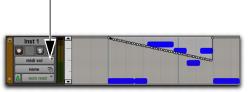
Select the corresponding Track View from the Track View menu.
Instrument track displaying MIDI Volume events in MIDI Volume view
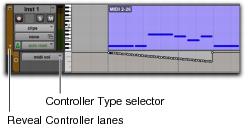
Reveal the corresponding MIDI Controller lane under the track.
Instrument track displaying MIDI Volume lane
Continuous controller events that can be inserted and edited in Pro Tools include:
• volume
• pan
• pitch bend
• aftertouch (mono)
• MIDI controllers, 0–127

Polyphonic aftertouch cannot be viewed in the Edit window. To view polyphonic aftertouch, use the MIDI Event List (see “MIDI Event List” on page 462).
MIDI controller #7 (volume) and #10 (pan) are treated as automation data. This means that these controller events (along with Mutes) can be recorded and automated from the Mix window; in addition, each MIDI or Instrument track’s automation mode affects how these events are played back and recorded. While a MIDI track’s volume, pan, and mute events can be suspended, all other controller events in the track always play. Instrument tracks support both MIDI volume, pan, and mute, and audio volume, pan, and mute.
To avoid overwriting existing MIDI volume and pan automation data, record in MIDI Merge mode. When recording in MIDI Merge mode, existing volume and pan data play back while recording new MIDI data.
Continuous controller events (including volume and pan) can be recorded from an external MIDI controller, and they can be inserted in a MIDI track using the Pencil tool or any Grabber tool.