Creating a New Project from a Template
To create a new project from a template:
1. Select Create, or if Pro Tools | First is already running, choose File > Create New.
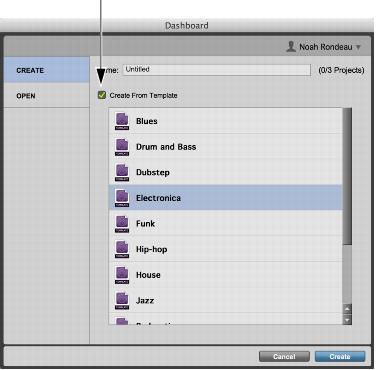
2. Enable the Create From Template option.
Dashboard, Create From Template enabled
3. Select the project template you want to use from the list.
4. Type a name for the project.
5. Click Create.
Pro Tools | First creates a new project based on the selected template. The project sample rate will be the same as the hardware sample rate displayed in the Playback Engine dialog (Setup > Playback Engine).