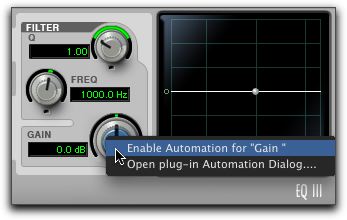
Enabling (or Disabling) Automation for Individual Plug-In Parameters
You can enable (or disable) individual plug-in controls directly from the Plug-In window.
To enable (or disable) a plug-in parameter from the plug-in window:
1. Make sure the plug-in window is open for the plug-in you want to automate.
2. Command-Option-Control-click (Mac) or Control-Alt-Start-click (Windows) the control for the parameter.
3. Select Enable Automation for (or Disable Automation for).
Enabling plug-in automation for individual parameters