Output Windows for Tracks and Sends
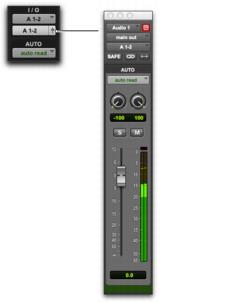
Track Output and Send windows provide standard Pro Tools track, send, Target, and other controls. Track outputs and sends can be opened for display and editing in dedicated windows.
• Track Output windows provide track fader, pan, automation, solo, and mute controls.
• Send windows provide send level, pan, automation, and mute controls.
• Standard Output and Send window controls provide additional routing, assignment, and display settings.
To open a track Output window:

Click the Output Window button in the channel strip.
Opening a track Output window
To open a Send window:
Click the Send Assignment button in the Mix or Edit window.
To view a different track Output or Send window:
Click an Output Window button, or Send Assignment button, in the Mix or Edit window.
If a similar Output window was already open with a highlighted Target icon (red, lit), the newly selected send will open in its place.