Window View Options
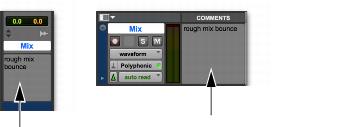
• Comments View
Shows any text entered as comments in the Track Name/Comments dialog. For more information, see
“Naming Tracks” on page 87.
Comments View in the Mix and Edit windows
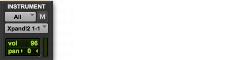
• Instruments View
Shows MIDI controls on Instrument tracks (MIDI Input selector, MIDI Output selector, MIDI volume, MIDI pan, and MIDI mute).
Instruments View
• Inserts View
Shows inserts (software plug-in inserts) in each track. For more information, see
“Configuring Inserts View in the Mix and Edit Windows” on page 761.
• Sends View
Shows send assignments in each track. Deselect to hide.
Views in the Mix window
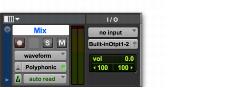
• I/O View (Edit Window Only)
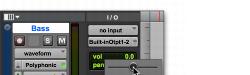
Shows Input and Output selectors, and Volume and Pan indicators in each track.
I/O View (Edit window)
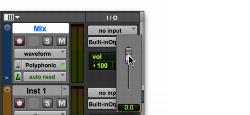
Click on the volume or pan indicators in the Edit window I/O View to adjust the volume or pan controls with a pop-up fader.
I/O View Volume pop-up fader (Edit window)
I/O View Pan pop-up slider (Edit window)
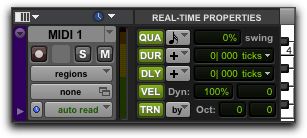
• Real-Time Properties View (Edit Window Only)
Shows controls for Real-Time Properties for MIDI and Instrument tracks. For more information on Real-Time Properties, see
“MIDI Real-Time Properties” on page 405.
Real-Time Properties View (Edit window)