Selecting Clips
To select a portion of a clip:

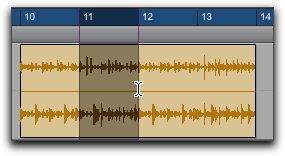
With the Selector tool, drag within a clip (left or right) to select the material on a single track. (You can also use the Selector tool across multiple, adjacent tracks to make multitrack selections.)
Selecting a portion of a clip
To select an entire clip, do one of the following:
Click the clip with the Grabber tool.
Double-click the clip with the Selector tool.
To select two clips and the time range between them:
1. With the Grabber, click the first clip.
2. Shift-click the second clip. Both clips are selected, along with the time range between them (including any other clips).
To select an entire track, do one of the following:
Click in the track with the Selector tool and then choose
Edit > Select All.
Triple-click with the Selector tool in the track.

Press Command+A (Mac) or Control+A (Windows) for Select All.