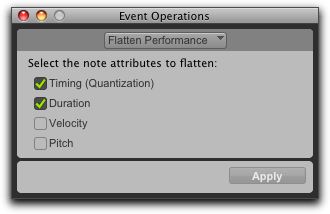
Flatten Performance
The Flatten Performance command in the Event Operations window “locks in” the current performance for selected notes, creating a new “restore to” state for the specified note attributes when using Restore Performance.
Event Operations window, Flatten Performance page

The Flatten Performance command can be undone.
To flatten the performance:
1. With the Grabber or Selector tool, select the MIDI notes you want to flatten.
2. Choose Event > Event Operations > Flatten Performance to open the Flatten Performance page.
4. Click Apply.