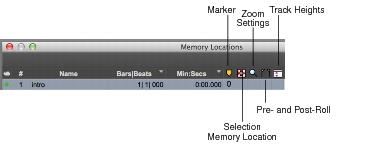
View Filter Icons
When Show Icons is selected in the Memory Locations pop-up menu, the Memory Locations window provides an icon-based “View Filter” that lets you show or hide Memory Locations based on the properties they contain.
Memory Locations View Filter icons
To show or hide Memory Locations containing a specific property:

Click the appropriate icon.