Renaming a Project
To rename a project:
1. In the Dashboard window, select Open to view your current projects (or if Pro Tools | First is already running, choose File > Open to access the Dashboard window.
2. Click the Open tab.
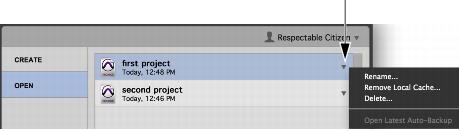
3. To the right of the project list, click the pop-up menu for the project you want to rename.
Dashboard, Rename Project
4. Choose Rename Project.
5. In the resulting dialog, type the new name for the Project.
6. Click OK.