Assigning Hardware I/O on a Track
Before recording to a track, you must specify the input signal path for the material you are recording and the output signal path for monitoring what you are recording. Do this by assigning a hardware input (recording source) and an output (for monitoring recording) on the track.
To assign I/O on a track:
1. Assign a hardware input (recording source) by doing one of the following:

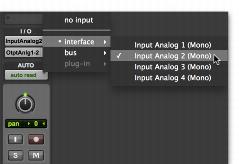
In the Mix window, select the corresponding hardware input for your source from the track’s Input Path selector.
Input Path selector, Mix window
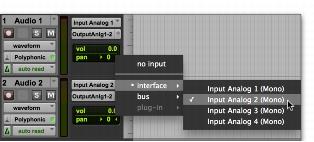
In the Edit window, with I/O view enabled, select the corresponding hardware input for your source from the track’s Input Path selector.
Input Path selector, Edit window
2. Assign an output bus (for monitoring recording) by doing one of the following:
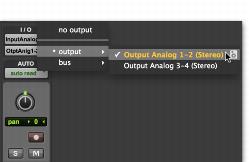
In the Mix window, select the corresponding output for monitoring (such as “Output Analog 1–2” or “Built-in Output 1–2”) from the track’s Output Path selector.
Output Path selector, Mix window
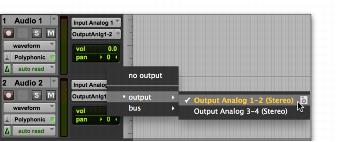
In the Edit window, with I/O view enabled, select the corresponding output for monitoring (such as “Output Analog 1–2” or “Built-in Output 1–2”) from the track’s Output Path selector.
Output Path selector, Edit window