Volume
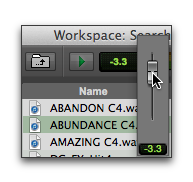
The Volume control in Workspace browsers lets you boost or attenuate the gain for previewing selected files.
To change the volume for previewing in Workspace browsers:
1. Click the Volume control (Fader icon) to display the Volume fader.
2. Adjust the Volume fader (from –INF to +12 dB).
Workspace Browser, Preview Volume fader