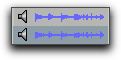
Waveforms
The Waveform column displays waveforms for audio files. Waveform display depends on the following:
• Waveforms are displayed if they have already been calculated and stored, either with the file metadata or in the global Waveform cache.
• When a file is imported into a project, a waveform is automatically calculated for it.
Waveform displays in a Workspace browser
The waveform overview is stored in the file, or in the Pro Tools Databases folder on your system drive. For more information, see
“WaveCache” on page 148.

To scale the vertical zoom on waveforms displayed in the Workspace browser, press Command+Option+[ or Command+Option+] (Mac), or Control+Alt+[ or Control+Alt+] (Windows).