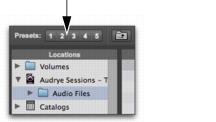
View Presets
Pro Tools lets you save up to five preset views for the Workspace browser and for the Relink window. Presets can be recalled by clicking a View Preset button.
To store a View Preset:
1. Open a Workspace browser or the Relink window.
2. Arrange columns and views.
3. Command-click (Mac) or Control-click (Windows) any of the Preset buttons 1–5.
Browser View preset buttons
To recall a saved preset:

Click the appropriate View Preset button.