Workspace
:
Workspace Browser Panes and Display
:
Showing (or Hiding) the Locations Pane
Showing (or Hiding) the Locations Pane
The Locations pane can be hidden.
To show or hide the Locations pane:
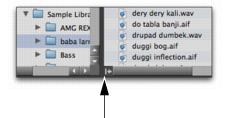
Click the Show/Hide icon in the lower right corner of the left-hand pane.
Show/Hide Locations Pane icon
 Click the Show/Hide icon in the lower right corner of the left-hand pane.Click the Show/Hide icon in the lower right corner of the left-hand pane.