Configuring MIDI or Instrument Tracks for Recording
To configure one or more MIDI or Instrument tracks for recording:
1. Create a new MIDI or Instrument track, or use an existing MIDI or Instrument track.
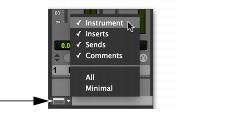
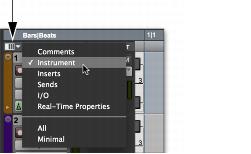
2. For Instrument tracks, from the Mix Window View Selector select Instrument or from the Edit Window View Selector select Instrument.
Mix Window View selector, selecting Instrument
Edit Window View selector, selecting Instrument
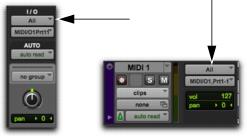
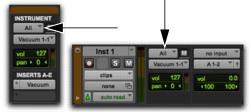
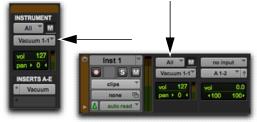
3. From the track’s MIDI Input selector, select the device and channel to be recorded. (For Instrument tracks, the MIDI Input selector is available in Instrument view.)
MIDI track Input selector
Instrument track MIDI Input selector
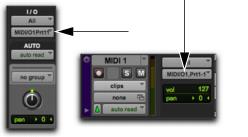
4. From the MIDI Output selector, select the device and channel for MIDI playback.
MIDI track Output selector
Instrument track MIDI Input selector
5. To assign multiple destinations to a single MIDI or Instrument track, Control-click (Mac) or Start-click (Windows) the MIDI Output selector and select additional channels from any device. When multiple destinations are selected for a single MIDI track, a plus sign (“+”) appears next to the first destination name in the track’s MIDI Output selector.
6. To assign a default program change to the track, do the following:

Click the Patch Select button.
Make the necessary selections for program and bank select.
Click
Done.
7. If recording to multiple MIDI or Instrument tracks, repeat the preceding steps for each track, then continue to the next step.
9. Enable either Wait for Note or Countoff in the Transport window.
11. To automatically quantize material as it is recorded, enable Input Quantize (
Event > Event Operations > Input Quantize). See
“Input Quantize” on page 246.
12. To start recording from the beginning of the project, click Return to Zero in the Transport.
13. Record enable the MIDI or Instrument track by clicking its Record Enable button.

To record enable additional MIDI and Instrument tracks, Shift-click their Record Enable buttons.
You are now ready to record MIDI data to the record-enabled MIDI and Instrument tracks.