Enabling the Click
Click tracks must be enabled to be heard during playback or recording.
To enable the click from the MIDI menu:

Select
Options > Click.
To enable the click in the Transport:
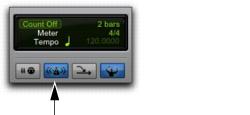
1. In the Transport window or the Edit window Toolbar, click the Metronome button so it is highlighted.
Metronome button, enabled
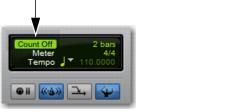
2. To hear the click count off when recording or playing, click the Count Off button in the Transport window or the Edit window Toolbar so it is highlighted.
Count Off button, enabled
Hearing the countoff before recording helps musicians to start playing at the right time and in tempo. The Count Off button in the Transport window or the Edit window Toolbar displays the number of bars counted before the transport starts.