Transmitting Beat Clock
To transmit MIDI Beat Clock:
1. Choose Setup > MIDI Beat Clock.
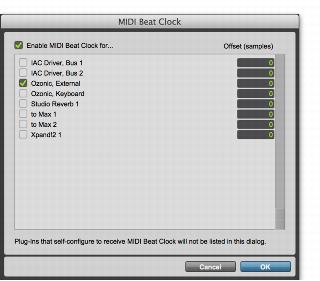
2. In the MIDI Beat Clock dialog, select the Enable MIDI Beat Clock option.
3. Select the devices you want to receive MIDI Beat Clock. If your MIDI interface does not support transmitting MIDI Beat Clock to separate ports, only the interface appears as a destination.
MIDI Beat Clock dialog
5. Click OK.