 Select (or deselect) Options > Insertion Follows Playback.Select (or deselect) Options > Insertion Follows Playback.In the Edit window Toolbar, click the Insertion Follows Playback icon so that it is highlighted (or unhighlighted).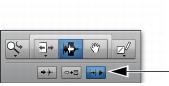
 Press Control+N (Mac) or Start+N (Windows) to toggle the Timeline Insertion/Play Start Marker Follows Playback preference on and off.