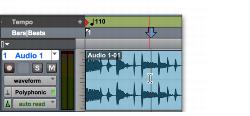
Setting Playback Location Using the Selector Tool
To set where playback begins, you can click anywhere in a track with the Selector tool.
Setting a playback point with the Selector tool
To begin playing from a specific point within a track:
1. With the Selector tool, click in the track where you want playback to begin.
2. Start playback.
3. Stop playback.
To jump to a different location and begin playing from there, do one of the following:

When playback is stopped, click with the Selector tool at the point you want to start playback and click Play in the Transport window.
During playback, click the new location in any Timebase Ruler.