Locating the Playback Cursor when It Is Off-Screen
Use the Playback Cursor locator to locate the playback cursor when it is off-screen.
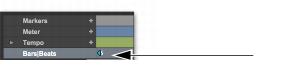
If the playback cursor is located after the time visible in the Edit window, the Playback Cursor locator appears on the right edge of the Main Timebase ruler. If the playback cursor is located before the time visible in the Edit window, the Playback Cursor locator appears on the left edge of the Main Timebase ruler.
Playback Cursor locator, recording enabled (playback cursor located after currently viewed audio)
For example, if the Scrolling option is set to None, the playback cursor moves off-screen after it has played past the time currently visible in the Edit window. The Playback Cursor locator appears on the right edge of the Main Timebase ruler after the playback cursor has moved beyond the time visible in the Edit window.
The Playback Cursor locator is red when a track is record-enabled and blue when no track is record-enabled.
To locate the playback cursor when it is off-screen:

Click the Playback Cursor locator in the Main Timebase ruler.
The Edit window changes to center the playback cursor on-screen.