Graphical Editing of Automation Data
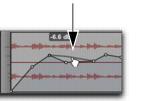
Automation data takes the form of a line graph with editable breakpoints.
Automation breakpoint
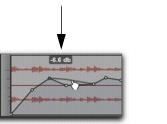
By dragging these breakpoints, you can modify the automation data directly in the Edit window and MIDI Editor windows. When you drag an automation breakpoint up or down, the change in value is numerically or textually indicated.
Automation breakpoint value
Dragging an automation breakpoint to the left or right adjusts the timing of the automation event.
To view the breakpoint automation type on any track, either select the corresponding Track View or reveal the corresponding Automation or Controller lane under the track.