Tracks
Tracks are where audio, MIDI, and automation data are recorded and edited. Tracks also provide audio channels for routing internal busses, and physical inputs and outputs for audio and MIDI.
Pro Tools | First provides multiple types of tracks: Audio, Auxiliary Input, Master Fader, MIDI, and Instrument.
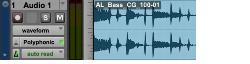
Audio track in the Edit window (stereo track shown)
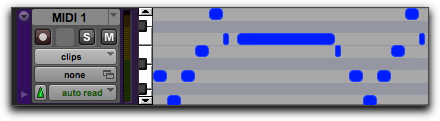
MIDI track in the Edit window
Audio, MIDI, and Instrument data can be edited into clips or repeated in different locations to create loops, re-arrange sections or entire songs, or to assemble tracks using material from multiple takes.
Auxiliary Input tracks can route internal audio busses or physical inputs to internal busses or physical outputs. Auxiliary Inputs are typically used for audio effects busses, audio throughput (monitoring), and submixing.
Master Fader tracks provide controls for physical audio output channels or internal busses, including the volume level of your mix, panning, and plug-in inserts.
Audio, Auxiliary Input, Master Fader, and Instrument tracks can be mono or stereo. When creating a new track, select from the list of channel formats in the new track dialog.