Separating Clips that Include Fades or Crossfades
You can create clips from track material that overlaps with fades or crossfades. Fades from the source clip are adjusted to the new clip.
To separate a clip that overlaps with a fade or crossfade:
1. With the Selector tool, drag to select the material for the new clip.
2. Choose Edit > Separate Clip > At Selection.
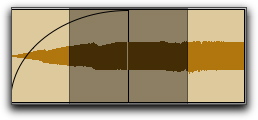
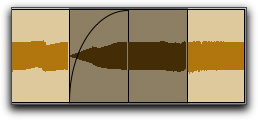
Where your selection overlaps any fade-ins or fade-outs, the fade is trimmed to fit the selection.
Selecting material that overlaps a fade-in
Result of Separate Clip command on fade-in
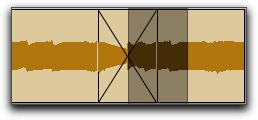
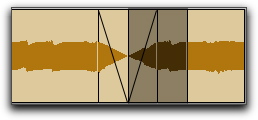
Where your selection overlaps a crossfade, the crossfade is separated into a fade-out and fade-in at the selection boundary.
Selecting material that overlaps a crossfade
Result of Separate Clip command on crossfade