Nudging Clips Adjacent to Fade-Ins or Fade-Outs
When you nudge a clip selection adjacent to a fade-in or fade-out, but do not select the fade, the adjacent fade stretches or shrinks to maintain the fade start or end point. The amount of change depends on the amount of audio material outside the fade start or end point.
To a nudge clip without its fade:
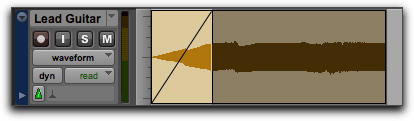
1. Select the clip, but not the fade.
Selecting a clip without its fade
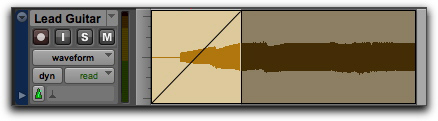
2. Nudge the clip by pressing Plus (+) or Minus (–) on the numeric keypad.
Nudging a clip without its fade