Moving Clips Containing Fades or Crossfades
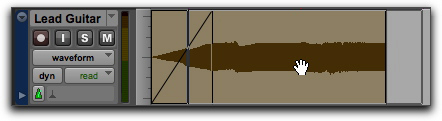
When you move or nudge a clip selection that contains a fade-in, fade-out, or crossfade, the fade moves with the selection.
To move a clip selection with fades or crossfades:
1. Do one of the following:

Click a clip with the Grabber tool (or double-click with the Selector tool) to select the clip along with the fade (in or out).
Select multiple clips that include the fades and crossfades you want to move.
2. Move the clip selection by doing one of the following:
Drag the clip selection with the Grabber tool to a new location on the track.
Nudge the clip selection by pressing Plus (+) or Minus (–) on the numeric keypad to move the clip forward or backward on the track.
Dragging a clip with its fade