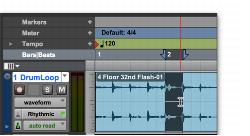
Making an Edit Selection with the Selector Tool
To make an Edit selection with the Selector tool:
1. Select the Selector tool in the Edit window.
2. Do one of the following:

To make an Edit selection in a single track, drag in the track.
To make an Edit selection across multiple tracks, drag across the tracks.
If Link Timeline and Edit Selection is enabled, drag on the Timebase ruler to make an Edit selection across all tracks.
Making a selection with the Selector tool
To select an entire clip with the Selector tool:
1. Select the Selector tool in the Edit window.
2. Double-click a clip on a track.
To select an entire track with the Selector tool:
1. Select the Selector tool in the Edit window.
2. Triple-click in the track.