Edit Modes and Tools
:
Using the Selector Tool
:
Placing the Edit Cursor
Placing the Edit Cursor
To place the edit cursor with the Selector tool:
1.
Select the Selector tool in the Edit window.
2.
Click the location in a track or on a Timebase ruler.
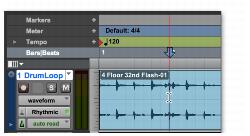
Placing the edit cursor with the Selector tool