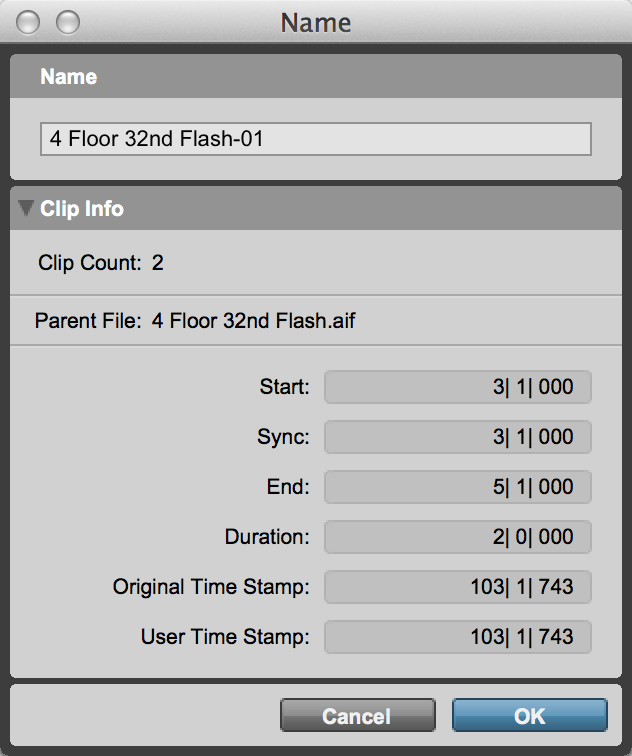
Clip Info
The Name dialog provides the option to view information about the selected clip. This information is not editable from the Name dialog. The following clip information is available:
• Instances
Displays the number of instances of the clip used in the project.
• Parent File
Displays the file name of the parent file for the clip.
• Start
Displays the start time of the selected clip according to the main timebase.
• Sync
Displays the Sync point time of the selected clip according to the main timebase.
• End
Displays the end time of the selected clip according to the main timebase.
• Duration
Displays the duration of the selected clip according to the main timebase.
• Original Time Stamp
Displays the original time stamp of the selected clip according to the main timebase.
• User Time Stamp
Displays the user time stamp of the selected clip according to the main timebase.
To show (or hide) information for the selected clip:

In the Name dialog, click the show/hide triangle for Clip Info.
Name dialog (Clip Info shown)