Avoiding Clicks and Pops
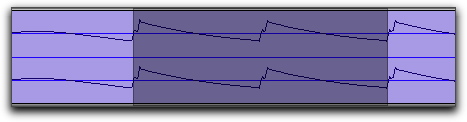
If an edited clip begins or ends at a point of high amplitude, you may hear a click when Pro Tools plays from one clip to another.
In order to avoid clicks or pops do any of the following:

Make sure that the start and end points of your selection are as close as possible to the point where the amplitude of the waveform tapers down to meet the zero-crossing line (the center line of the track’s waveform display). If necessary, use the Zoom tool in the Edit window to display waveforms in greater detail.
Selection that begins and ends at zero crossings