Adding Event Markers
To add an Event marker:
1. Make sure you are in Analysis view.
2. Do one of the following:

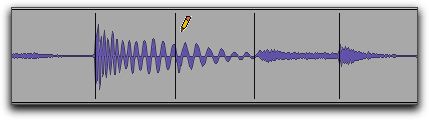
With the Pencil tool, click at the location where you want to add an Event marker.
With the Grabber tool, double-click at the location where you want to add an Event marker.
With the Grabber tool, Control-click (Mac) or Start-click (Windows) at the location where you want to add an Event marker.
With any Edit tool, Right-click at the location where you want to add an Event marker and select
Add Event Marker from the pop-up menu.
Adding an Event marker with the Pencil tool