Individual Range Warp
Individual Range Warp applies warping to a single audio event in relation to the adjacent audio events.
To apply Individual Range Warp:
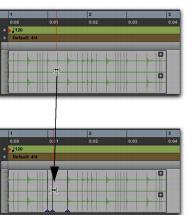
1. In Warp view, with the Grabber tool, Shift-click a Warp marker or an Event marker. If not already present, Warp markers are automatically created on the adjacent Event markers.
2. Drag to the left or right to warp the clicked event.
Before and after warping, applying Individual Range Warp