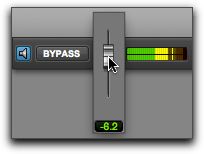
Preview Volume Control
The Preview Volume control in the AudioSuite window lets you adjust the volume for previewing AudioSuite processing.
To adjust the volume for previewing AudioSuite processing:
1. Click the Preview Volume control.
2. In the resulting pop-up fader, drag up to increase the preview volume or drag down to decrease the preview volume.
Adjust the volume for previewing AudioSuite processing