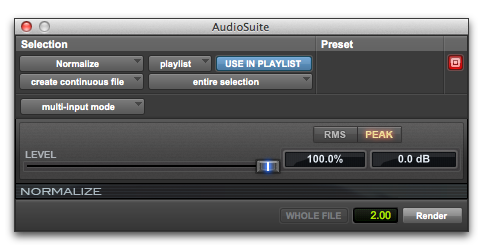
Normalize
The Normalize plug-in optimizes the volume level of an audio selection. Use it on material recorded with too little amplitude, or on material whose volume levels are inconsistent (as in a poorly recorded narration).
Unlike compression and limiting, which modify the dynamics of audio material, normalization preserves dynamics by uniformly increasing (or decreasing) amplitude.

To prevent clipping during sample rate conversion, Normalize in Peak mode to no greater than the range between –2 dB to –0.5 dB. Optimum settings will vary with your program material and your Conversion Quality setting (in the Editing tab of the Preferences dialog). Observe caution when normalizing in RMS mode, as that mode of analysis does not account for instantaneous peaks.
Normalize