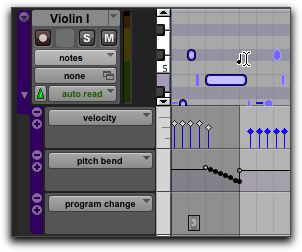
Selecting Only MIDI Notes Using the Note Selector Tool
In Notes or Velocity view on MIDI and Instrument tracks in the Edit window or in the MIDI Editor, the Selector tool makes a time range selection that includes all MIDI event types in addition to MIDI notes and velocities (such as program changes, and continuous controller data). The Note Selector tool can be used to select only MIDI notes and velocities in a time range selection.
To select only MIDI notes and velocities with the Note Selector tool:
1. Select the Selector tool.
2. On MIDI or Instrument tracks in the Edit window in Notes or Velocity view, or in the MIDI Editor, Option-drag (Mac) or Alt-drag (Windows) over the time range that includes the notes you want to select.
Selecting only MIDI notes using the Note Selector tool
When using the Smart tool and pressing Option (Mac) or Alt (Windows), the Selector is available in the upper part of the Track and the Note Selector is available in the lower part of the track.