Selecting and Auditioning MIDI Notes with the Mini-Keyboard
Use the mini-keyboard on MIDI and Instrument tracks to select and play notes on that track. You can click on the mini-keyboard with any Edit tool.
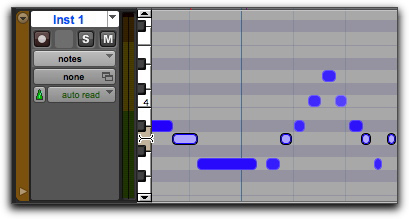
To play a note on a MIDI or Instrument track, and select all notes of that pitch on the track:

With any Edit tool selected, click a key on the mini-keyboard.
Playing a note with the mini-keyboard and selecting all notes of that pitch

Option-click (Mac) or Alt-click (Windows) to play notes without making a selection.
Command-click (Mac) or Control-click (Windows) to select or deselect notes, and to make noncontiguous selections.
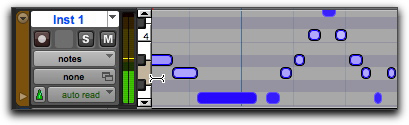
To select and play a range of notes on a MIDI or Instrument track:
With any Edit tool selected, click a key and drag up or down on the mini-keyboard.
Playing a range of notes with the mini-keyboard and selecting all notes of including those pitches
You can also Shift-click on the mini-keyboard to extend or contract the range of notes.