Separated Multitrack Clip Groups
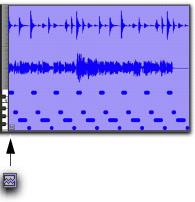
You can insert, move, hide, or delete tracks in multitrack clip groups, but it may break the clip group. A separated clip group displays a break in the Clip Group icon. Separated clip groups will continue to function as a single clip group, but the separated icon indicates that the clip group displayed is somehow incomplete or separated across nonadjacent tracks.
Separated Clip Group icon
A clip group is separated when you do any of the following:
• Insert a track within a multitrack clip group.
• Move a track that is part of a multitrack clip group so that it is no longer adjacent with the other tracks of the clip group.
• Hide a track that is part of a multitrack clip group.
• Delete a track that is part of a multitrack clip group.
• Change the tempo of a mixed sample-based and tick-based clip group.
• Record into a clip group.
• Apply manual warping in Warp view.
There may be situations where you want separated clip groups. For example, if you use the same accompaniment on verses one and two of a song, you can group the parts of verse one and copy them as a clip group for verse two, but still have a continuous vocal track in the middle of those clip groups.

If you want to delete a track and keep the clip group intact, first ungroup the clip group, then delete track, and then Regroup the clip group. The clip group will be recreated intact, but without the deleted track.