Renumbering Bars
You can use the Renumber Bars command to renumber all bars in the project, effectively changing the bar locations for all clips, meter and tempo events while leaving their position intact. In doing so, however, the SMPTE and sample locations of the project data are not changed.
To renumber bars:
1. Choose Event > Renumber Bars.
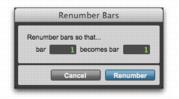
2. Specify the bar you want to renumber, along with the new bar number, then click Renumber.
Renumber Bars dialog