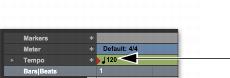
Song Start Marker
The Song Start Marker defines the initial tempo for Bar|Beat-based material. New projects open with a default tempo of 120 BPM.
When a new project is created, the Song Start Marker has no associated meter event. A meter event is added automatically at the Song Start if you add another meter event anywhere else on the Meter ruler.
Song Start Marker
The Song Start Marker can be moved, but it cannot be deleted.
To move the Song Start Marker by dragging:

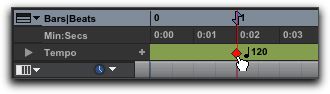
In the Tempo ruler with any Edit tool, drag the Song Start Marker left or right.
Dragging the Song Start Marker
If the Edit mode is set to Grid, the Song Start Marker moves in increments of the current Grid value.

To move the Song Start Marker only, without moving any tick-based data, press Control+Shift (Mac) or Start+Shift (Windows) while dragging. When dragging the Song Start Marker only, dragging is constrained to whole bar increments only.
To edit the initial tempo in the Song Start Marker:
1. In the Tempo ruler, double-click the Song Start Marker.
2. In the Change Tempo dialog, enter a new BPM value.
3. Click OK.