Switching Timebases
All tracks can be switched between being sample-based or tick-based.
Track height affects how various track controls appear in the Edit window. The Timebase selector, which is used for switching a track’s timebase, is only visible in Medium or larger track heights.
To switch the timebase of a track, do one of the following:

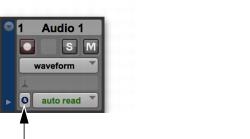
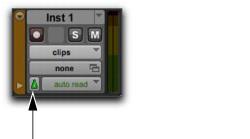
If the track’s height is set to Medium or larger, click the Timebase selector for the track and select the timebase. The Timebase selector icon changes to reflect your choice.
Timebase selector (samples)
Timebase selector (ticks)
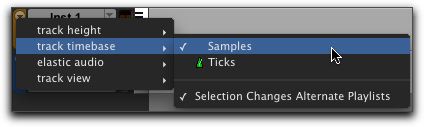
If the track’s height is set to Small (or smaller), click the Track Height selector and select the timebase from the Track Timebase submenu.
Track Height pop-up menu